 StatHawk
Families follow your team with its team code. Once they join, your team shows up in their app with the schedule, scores and every game’s stats.
Steps
- Open your team, choose ⋯ at the top right, then Team Settings.
- Under People, open Fans.
- Choose Share Code to send it by text or to your team chat, or Copy Code to paste it anywhere.
- Families install StatHawk, sign up, then choose + › Join with Code on Home and enter the code.
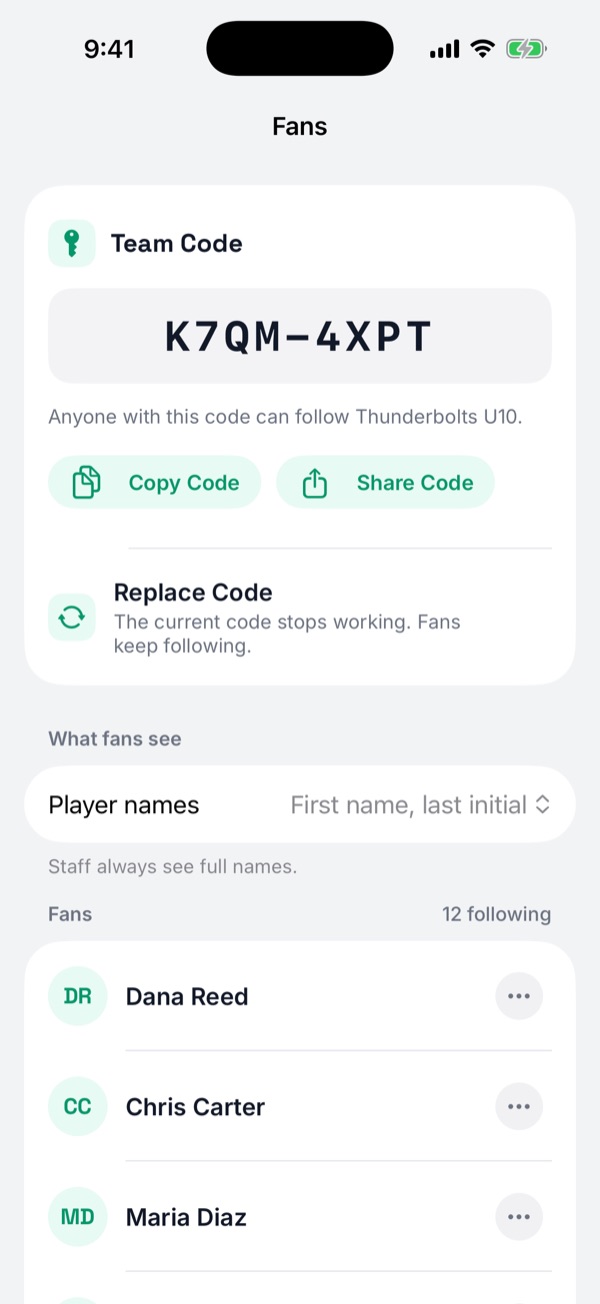
Choose how player names show
Under What fans see, set Player names to full names or first name and last initial. Teams 13U and younger always show last initials. You and your staff always see full names.
What fans can and can’t do
Fans see games and stats but can’t change anything, and they don’t see Insights or a game’s Plays tab. Single-game stats are free for fans. Season stats, past seasons and PDFs are part of StatHawk Fan Pro.
Did you find this helpful?